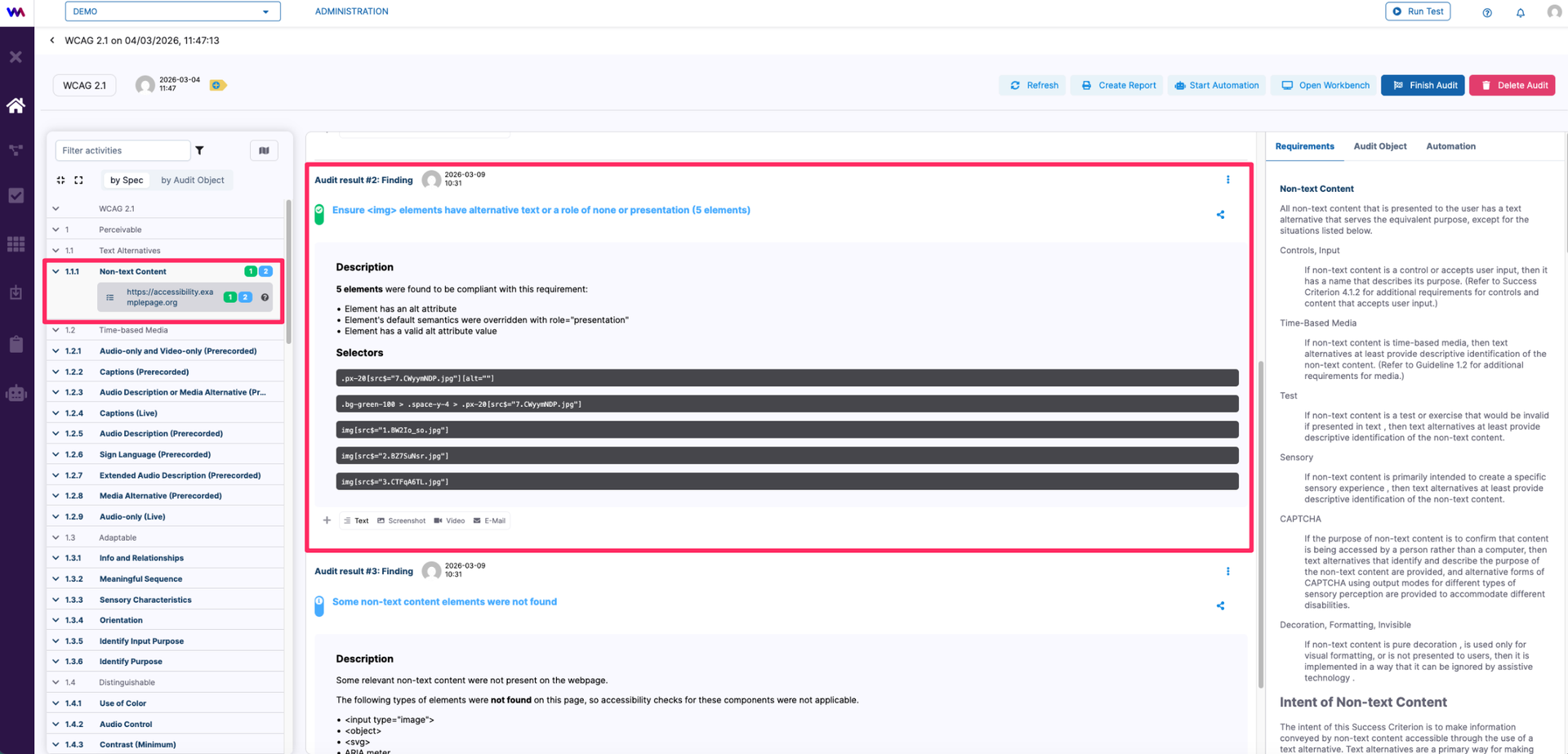
Audit Automation
AuditLab supports automation for selected parts of the accessibility audit process.
For certain specifications, automated checks can be configured to run predefined rule sets that evaluate common accessibility requirements without manual interaction. While not all aspects of an accessibility audit can be fully automated, these automated checks help identify many technical issues efficiently and provide a consistent baseline for further manual review and analysis.
In the Planning tab, after planning the audit activities, the matrix indicates which modules support automatic auditing.
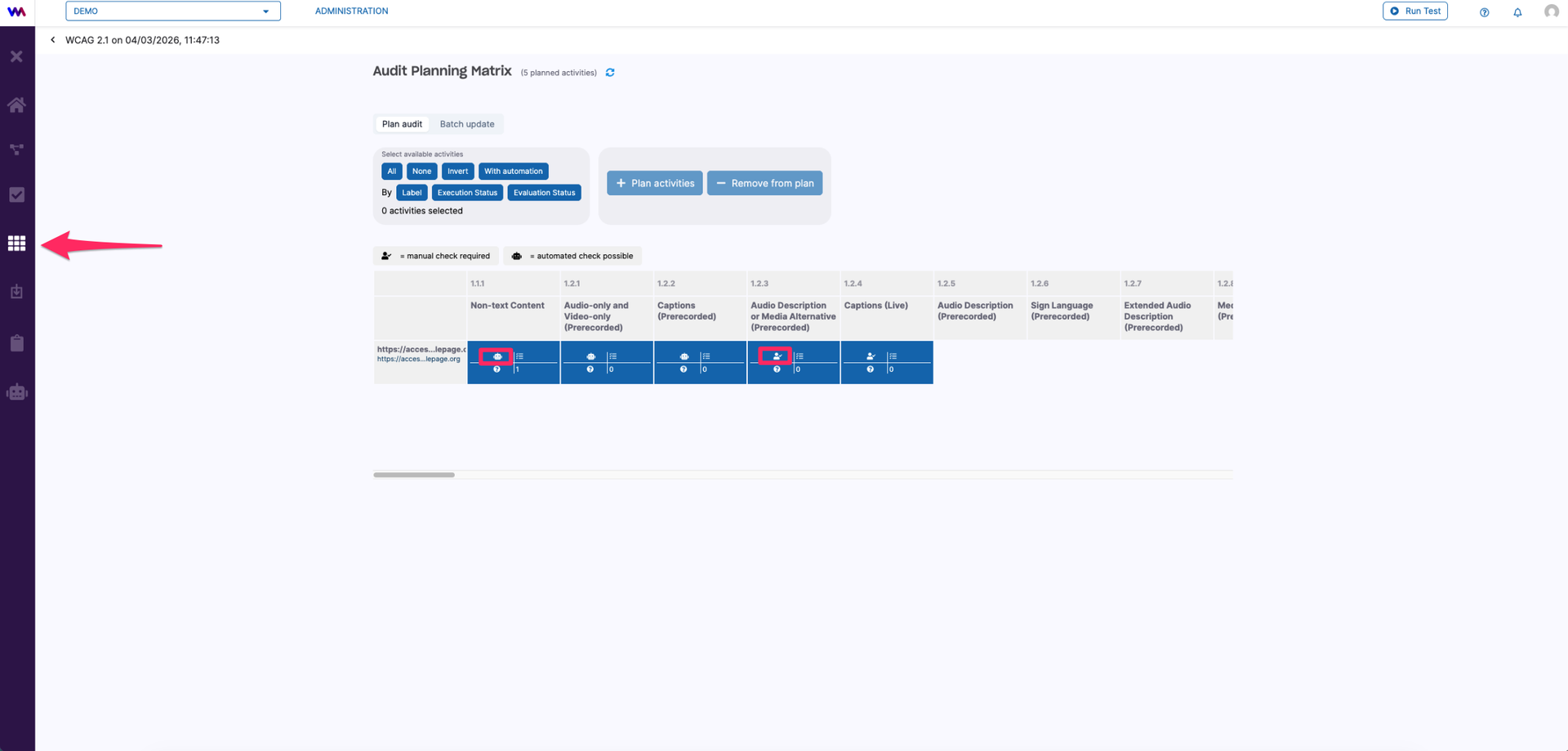
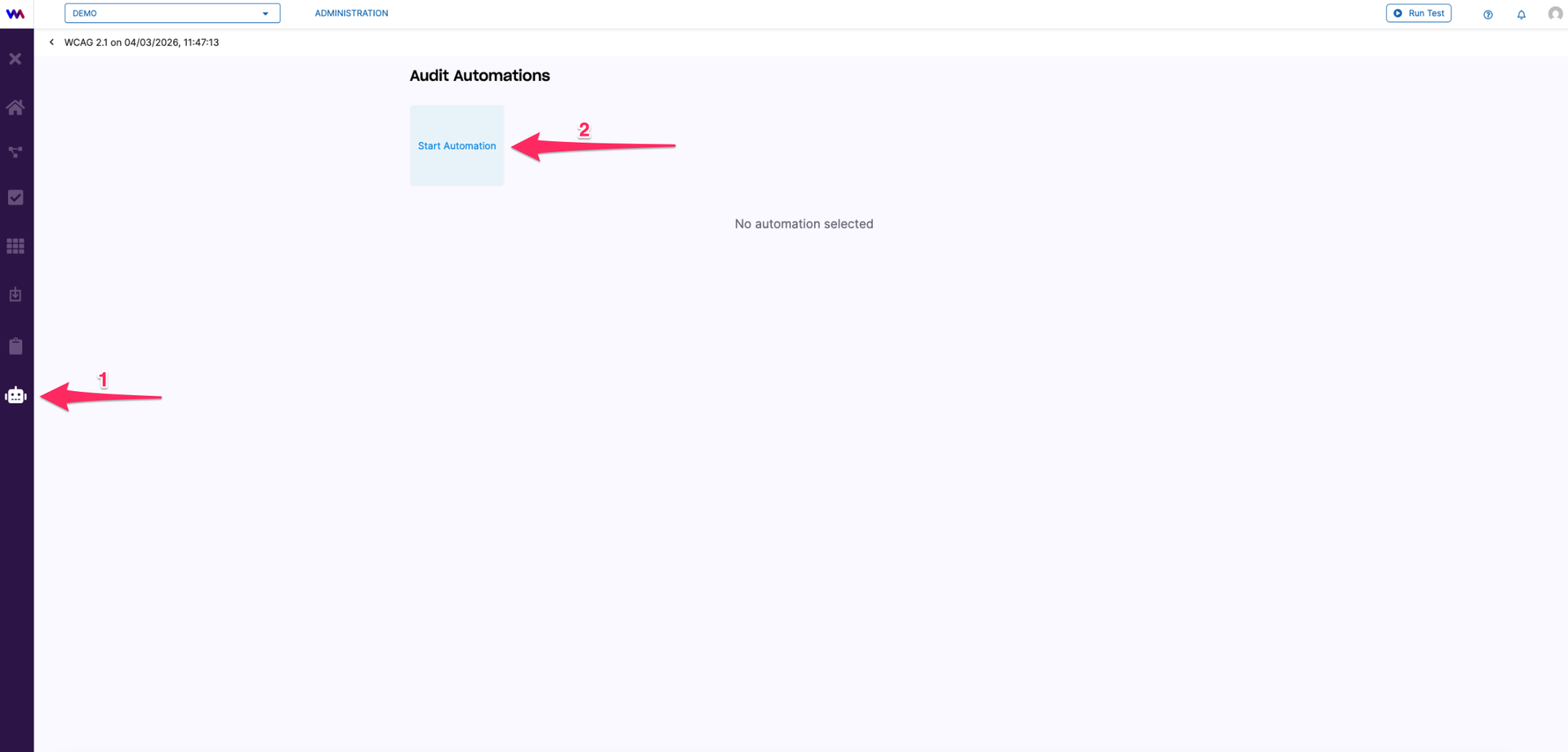
To start the automation for the selected and supported modules, go to the Automation tab (1) and click on Start Automation (2).
A pop-up window appears where you can configure the settings for the automatic audit, such as automatically associating detected findings with the audit, etc.
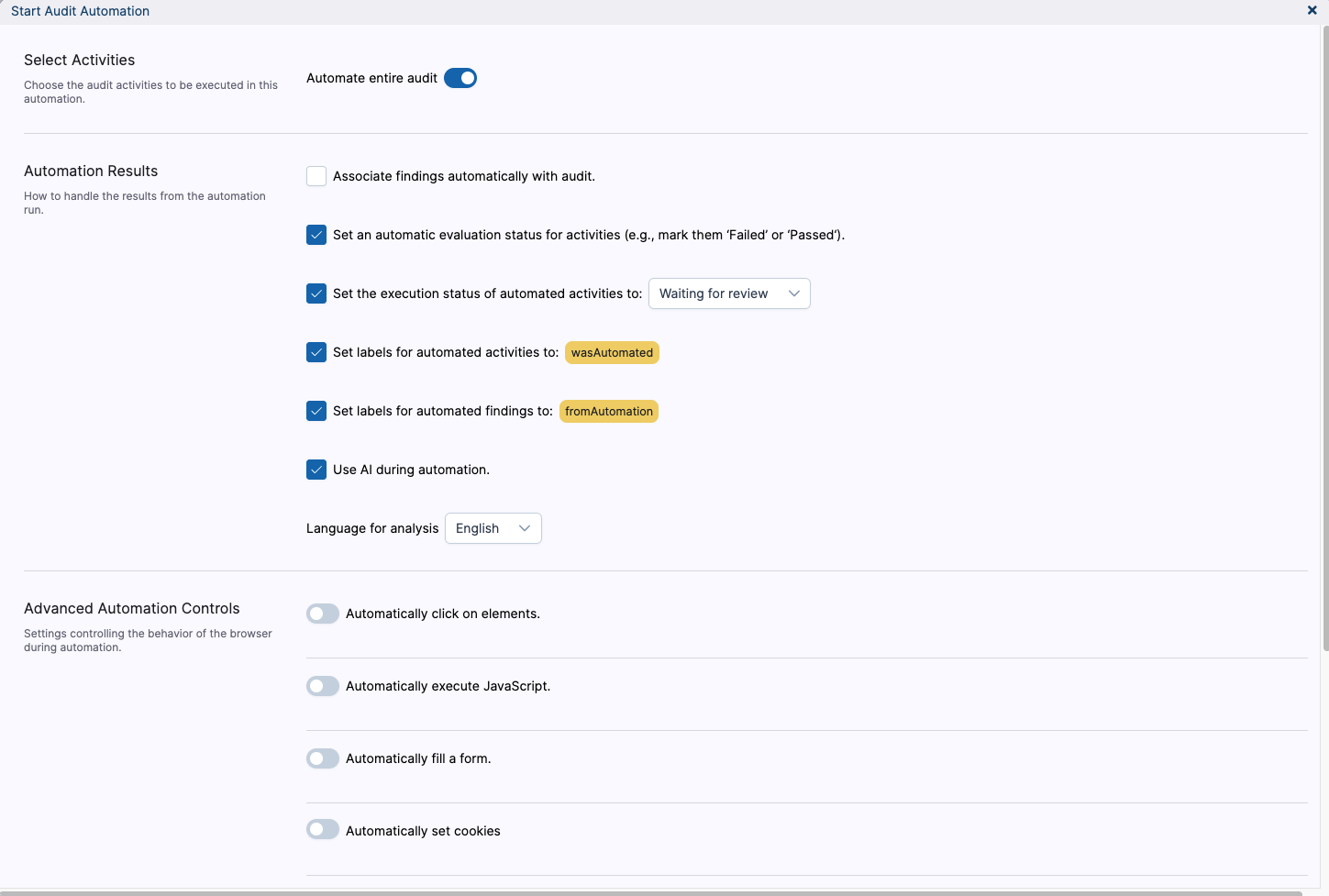
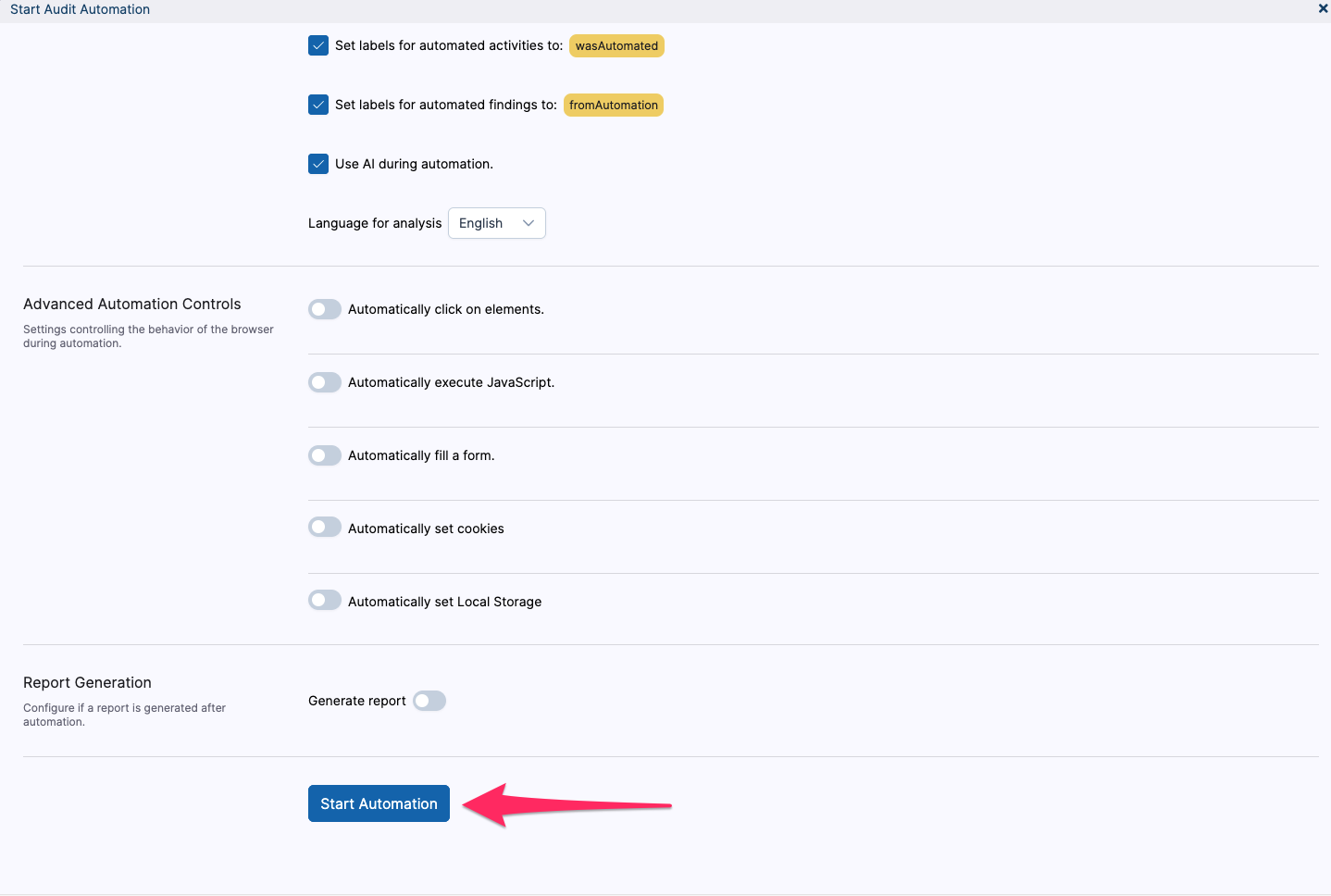
Start Audit Automation Settings Reference
The Start Audit Automation dialog controls which audit activities are automated and how webmate handles the generated results.
Select Activities
Automate entire audit runs automation across all supported activities in the audit when the toggle is enabled. When it is disabled, webmate opens a manual selection dialog where you can choose specific activities from the planning matrix.
Automation Results
Use these settings to control what happens to activities and findings after automation runs:
- Associate findings automatically with audit links generated findings directly to the audit. Leave this option disabled when you want to review findings from a trial run before updating the audit.
- Set an automatic evaluation status for activities lets webmate evaluate each activity result and assign a pass or fail status automatically.
- Set the execution status of automated activities to stamps all automated activities with the selected execution status after the run. Available statuses are Not started, In progress, Finished, Waiting for review, Skipped, and Blocked. The default is Waiting for review.
- Set labels for automated activities to assigns one or more custom labels to every automated activity. The default label is
wasAutomated. - Set labels for automated findings to assigns one or more custom labels to every finding produced by the automation. The default label is
fromAutomation. - Use AI during automation applies AI analysis during the audit run, for example during content evaluation. Disable it when you want to reduce AI usage or speed up an automation run that does not need AI-based analysis.
- Language for analysis selects the language used for AI-based content analysis. Available options are English, German, and French. The default follows the language of the selected audit template.
Advanced Automation Controls
Advanced controls define optional browser policies that run during each test session before checks are performed. You can enable multiple policies in the same automation run.
- Automatically click on elements accepts one or more comma-separated CSS selectors. During each page load, webmate clicks matching elements that it finds. Use this to dismiss banners, popups, or consent dialogs before checks run.
- Automatically execute JavaScript runs a JavaScript snippet on each page. Use the optional Wait for element selector to delay execution until a matching element appears in the DOM.
- Automatically fill a form fills one or more form fields before checks run. A field can be identified by CSS selector, label text,
nameattribute, or placeholder text. You choose the value to insert and the input mode: set natively, type fast, or type with a configurable delay. An optional submit action can press Enter, click a submit button by selector, or submit the nearest form. - Automatically set cookies writes configured name and value pairs as browser cookies at session start and after every navigation. Use this for repeatable setup such as consent flags or authenticated test states.
- Automatically set local storage writes configured key and value pairs to
localStorage. Use the optional URL regex filter to limit which pages receive the values.
Report Generation
Generate report creates a report automatically at the end of the automation run with the selected report template.
Example: Dismissing a Cookie Banner
Many websites show a cookie consent dialog that must be dismissed before automated checks can produce meaningful results. Use Automatically click on elements to handle this consistently.
For example, assume the website shows an Accept all button with the CSS class cookie-banner__accept.
- In Advanced Automation Controls, enable Automatically click on elements.
- Enter the CSS selector for the accept button:
| |
- If the banner can also be dismissed with a close button, add both selectors separated by a comma:
| |
- Start the automation.
On every page load, webmate looks for elements matching those selectors and clicks the first matching element it finds.
Once you have configured the settings of the automatic audit according to your project requirements, click Start Automation to begin the process.
After the automation has finished, a box at the top of the screen displays the number of findings detected. By clicking on this box, you can open the detailed view and review each finding individually.
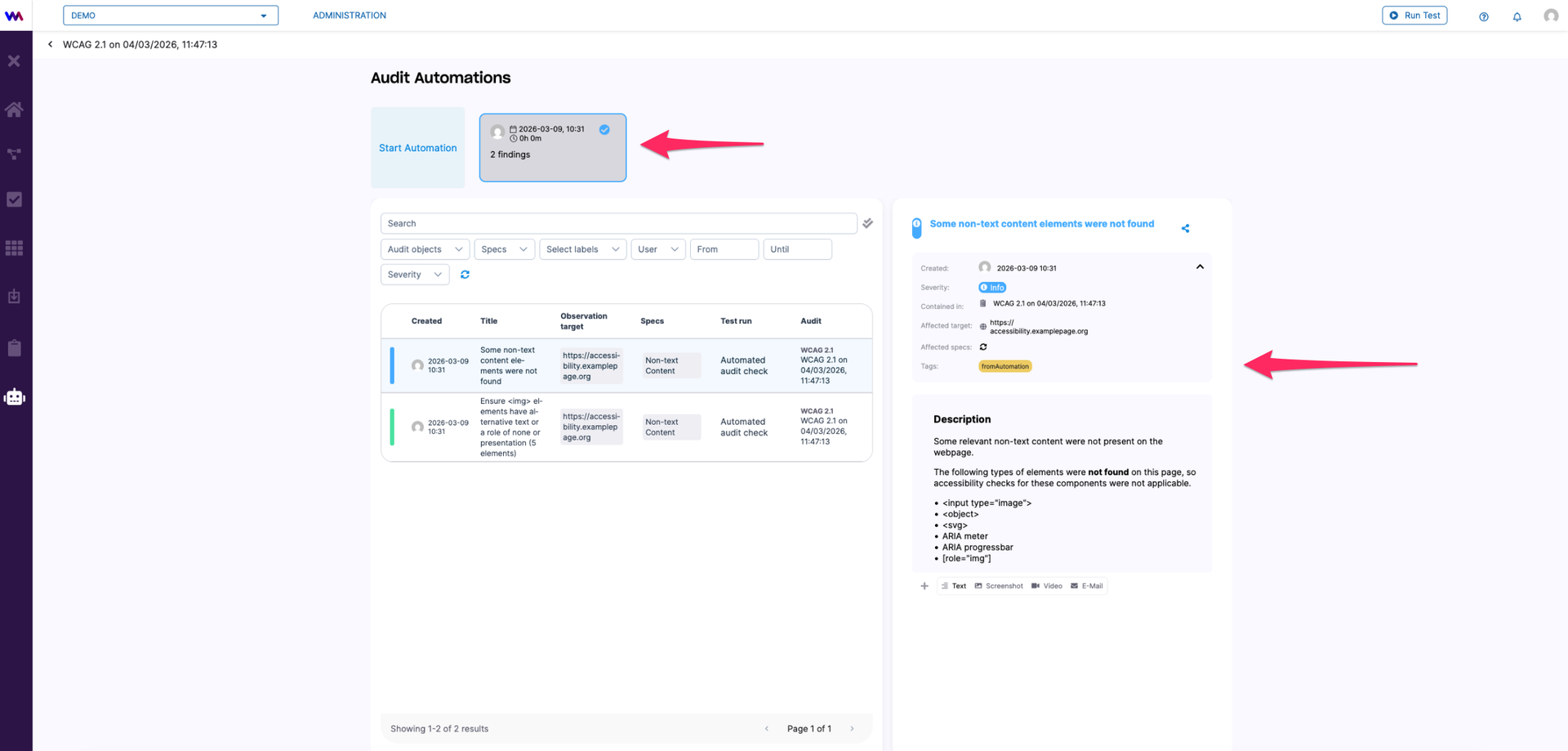
If you have pre-selected the option Associate findings automatically with audit, the findings detected during the automation will also appear in the Audit tab. There, each finding is listed under the respective accessibility requirement along with its description. You can review and edit the findings manually or add additional findings as described in our Create Findings article.