
User Profile
Use your user profile to manage account details, notification preferences, password settings, and API keys.
Accessing Your Profile
Follow these steps to open your user profile.
Log in to the webmate (opens in a new tab) web app.

Click your profile picture in the upper-right corner.

Select Profile.

The General Profile Information view opens.
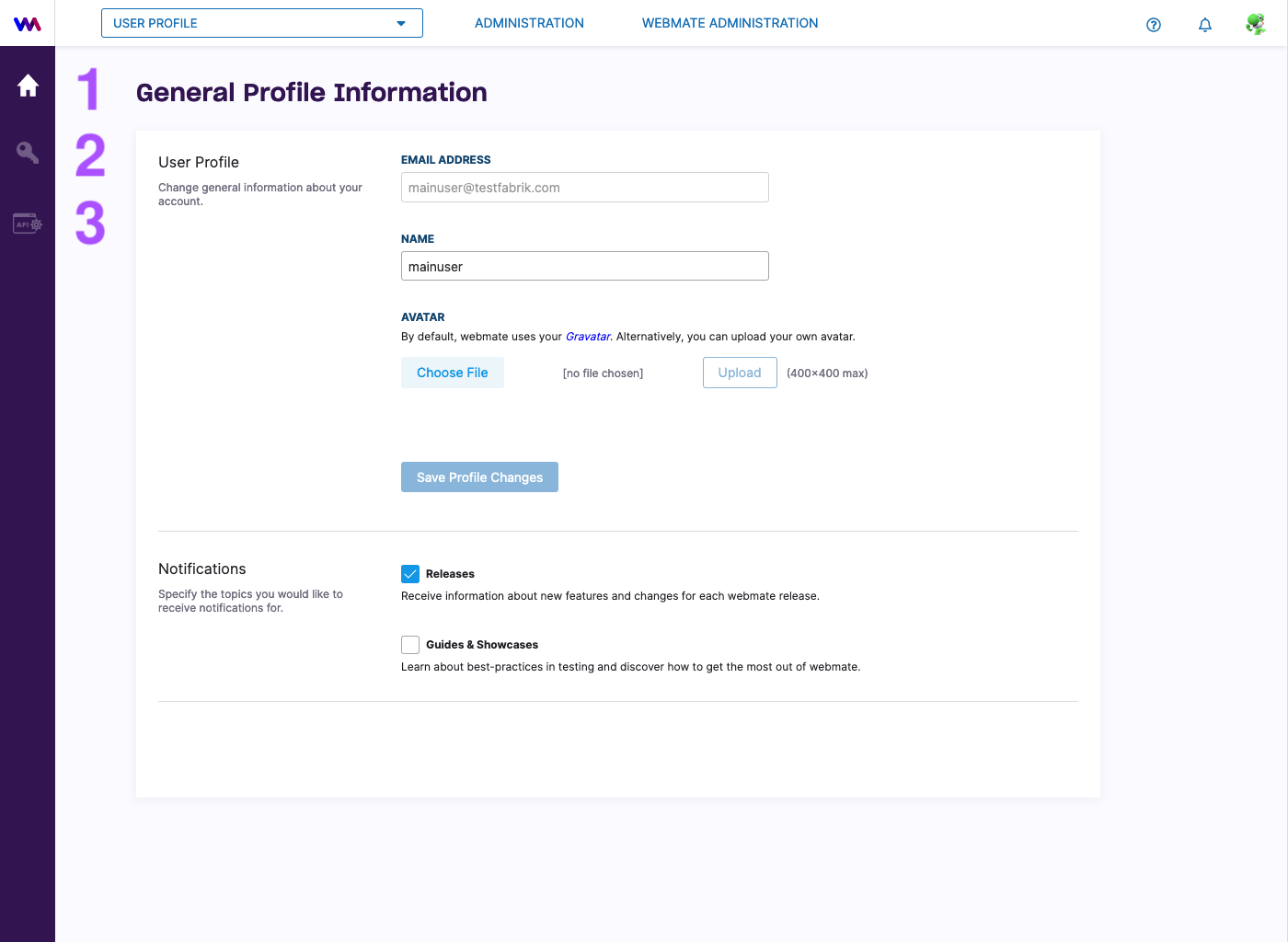
General Profile Information
User Profile
Change your name or email by entering the new value. You can also change your Gravatar by uploading your own.
Always save your changes by clicking on Save Profile Changes.
Notifications
Use notifications to choose the types of messages you want to receive.
For notification topics, see Configure Notifications .
Password
In the Password view (2), you can manage your login password.
For password changes, see Manage Passwords .
API Key
In the API Key section (3), you can manage your API keys.
For API key management, see Manage API Keys .