Tab-Order Analysis
The Tab-Order Analysis feature in webmate allows you to evaluate how a user navigates through a webpage using the Tab key. This is essential for ensuring accessibility compliance for keyboard-only users.
Start the Analysis
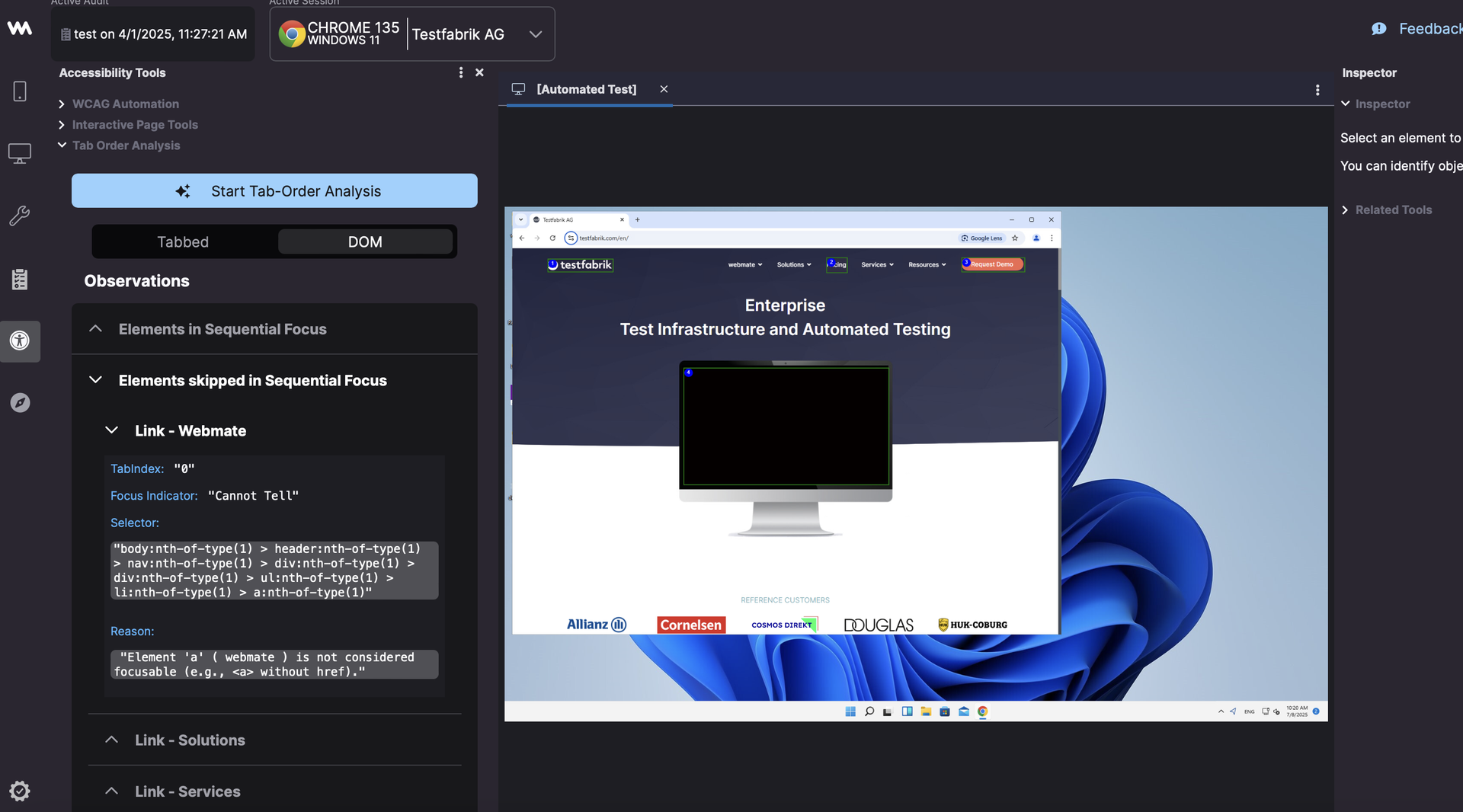
Click on Start Tab-Order Analysis. Until the analysis is complete, the Tabbed and the DOM button options are disabled.
Tabbed View
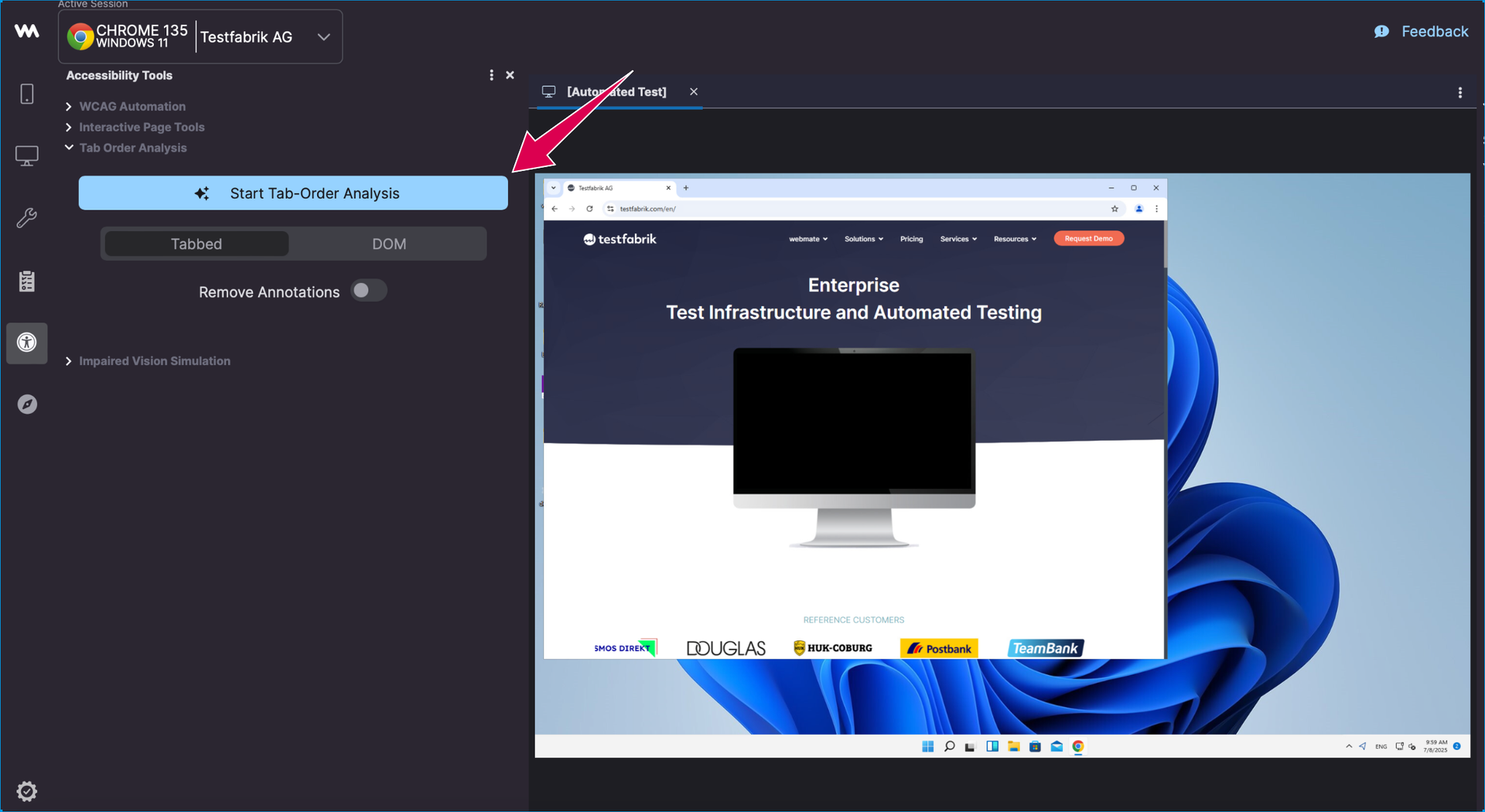
Once the analysis is completed, the two views are available for selection, with the Tabbed view being presented initially by default. In the Tabbed view, the elements highlighted and numbered on the webpage correspond to the elements in the list on the left. This list and visualization show the sequential focus or tab-order as experienced by the users.
To view details about an element, click on the element. For example, click on 2 Link - Pricing
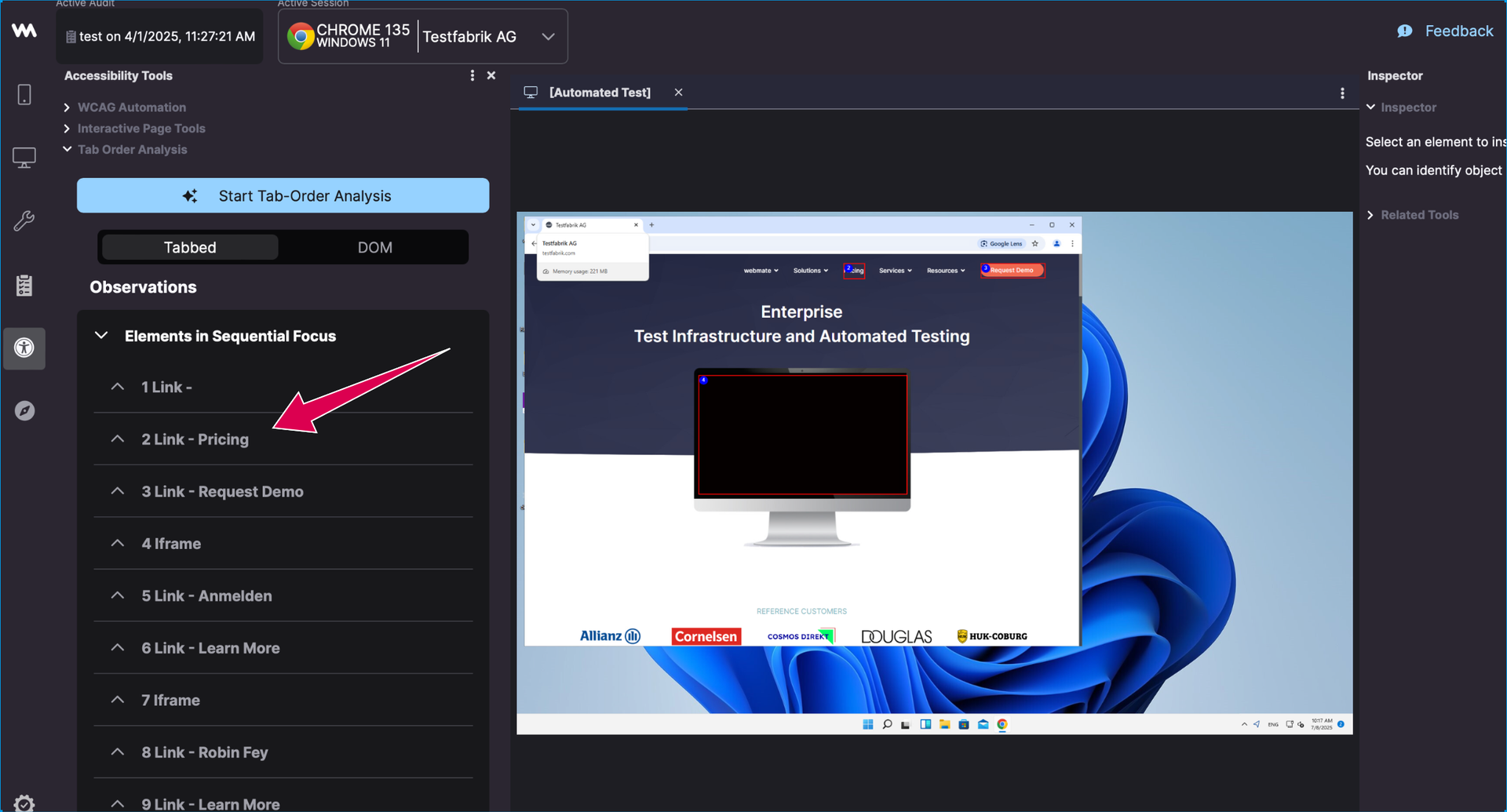
Upon clicking, the corresponding element displays further details such as :
1. Tabindex value

2. Focus Indicator status (e.g., “Visible” or “Cannot Tell”)

3. CSS Selector

4. HTML snippet
DOM View
You can click on DOM to see the other view. This view has two sections. Click on Elements skipped in Sequential Focus to view the elements in sequential focus as structured by the webpage’s DOM.
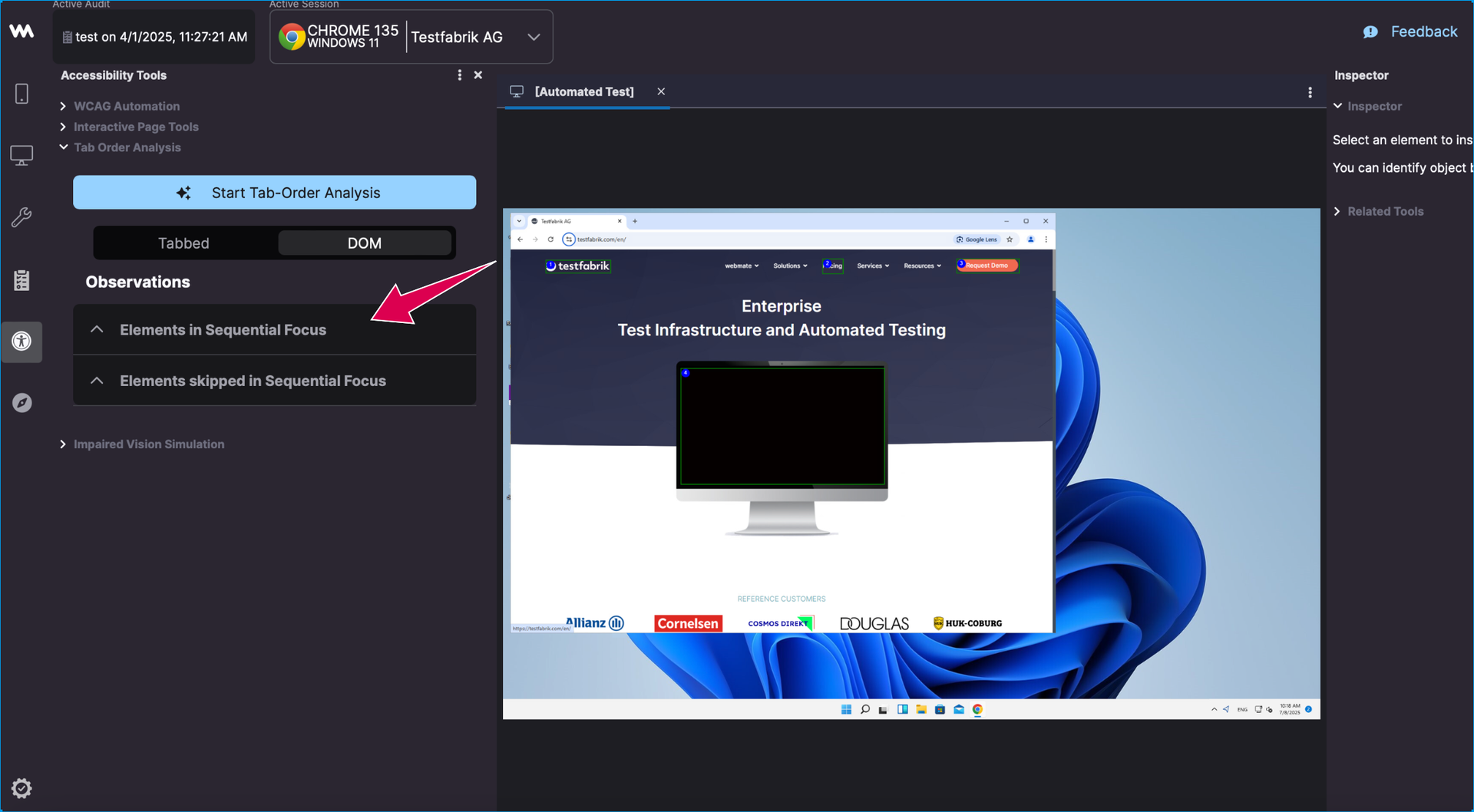
Upon clicking that option, it displays a refined list of elements that are expected to receive focus based on DOM analysis and accessibility heuristics.
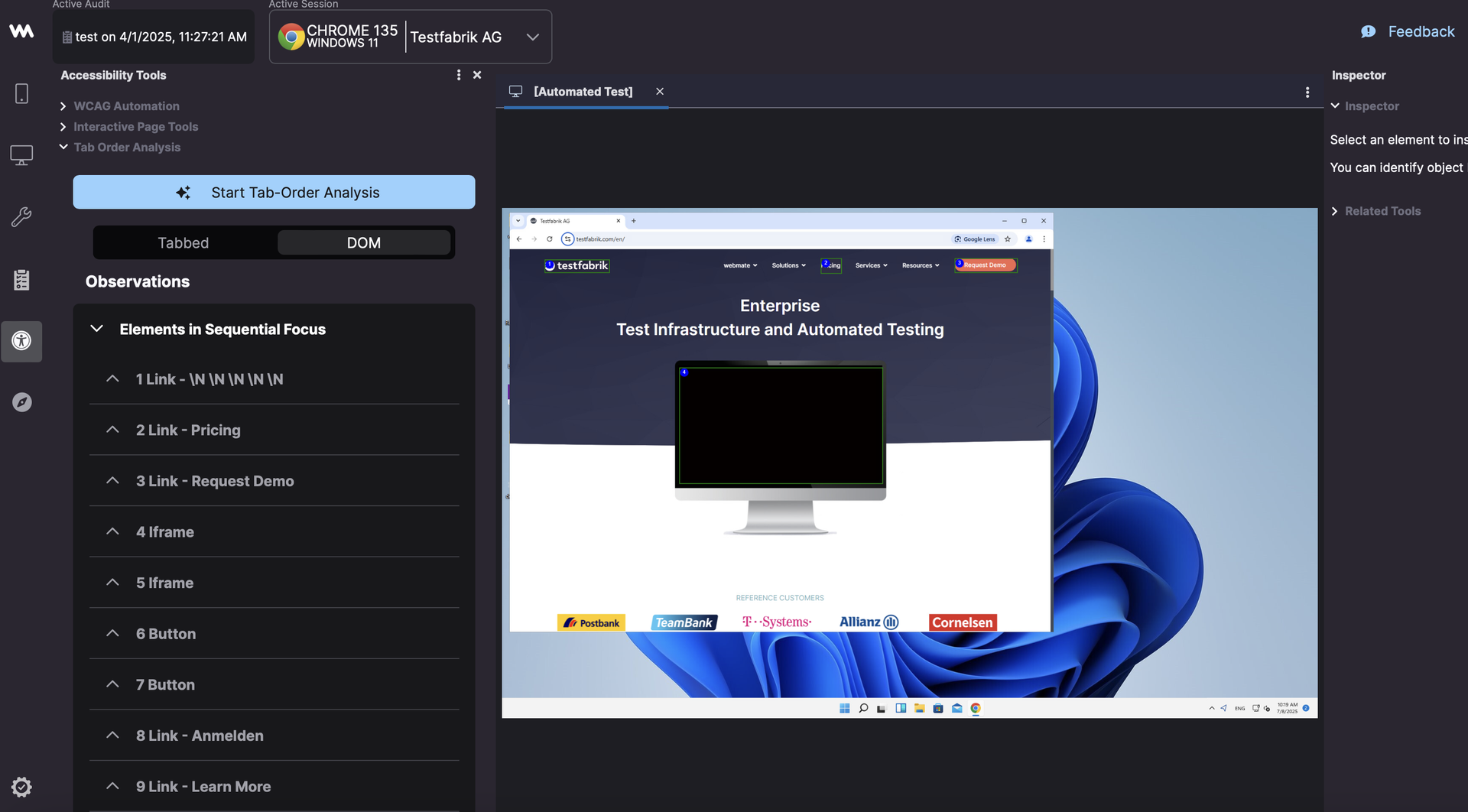
Similar to the prior example, upon clicking on any of the elements in the list, it displays further details.
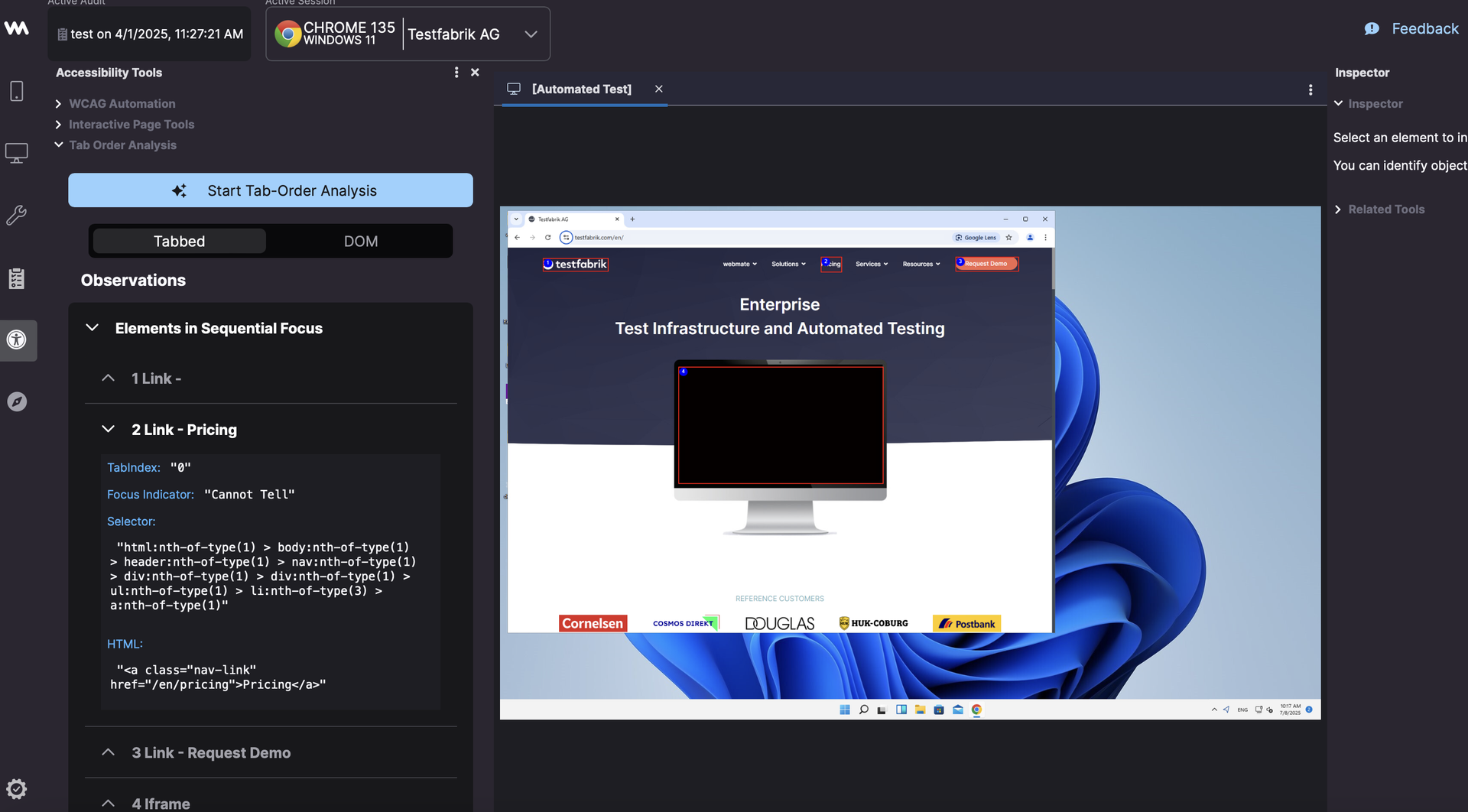
Click on Elements skipped in Sequential Focus to view the elements which are present in the DOM but not reachable via Tab.
To view details about an element, click on the element. For example, click on Link - Webmate
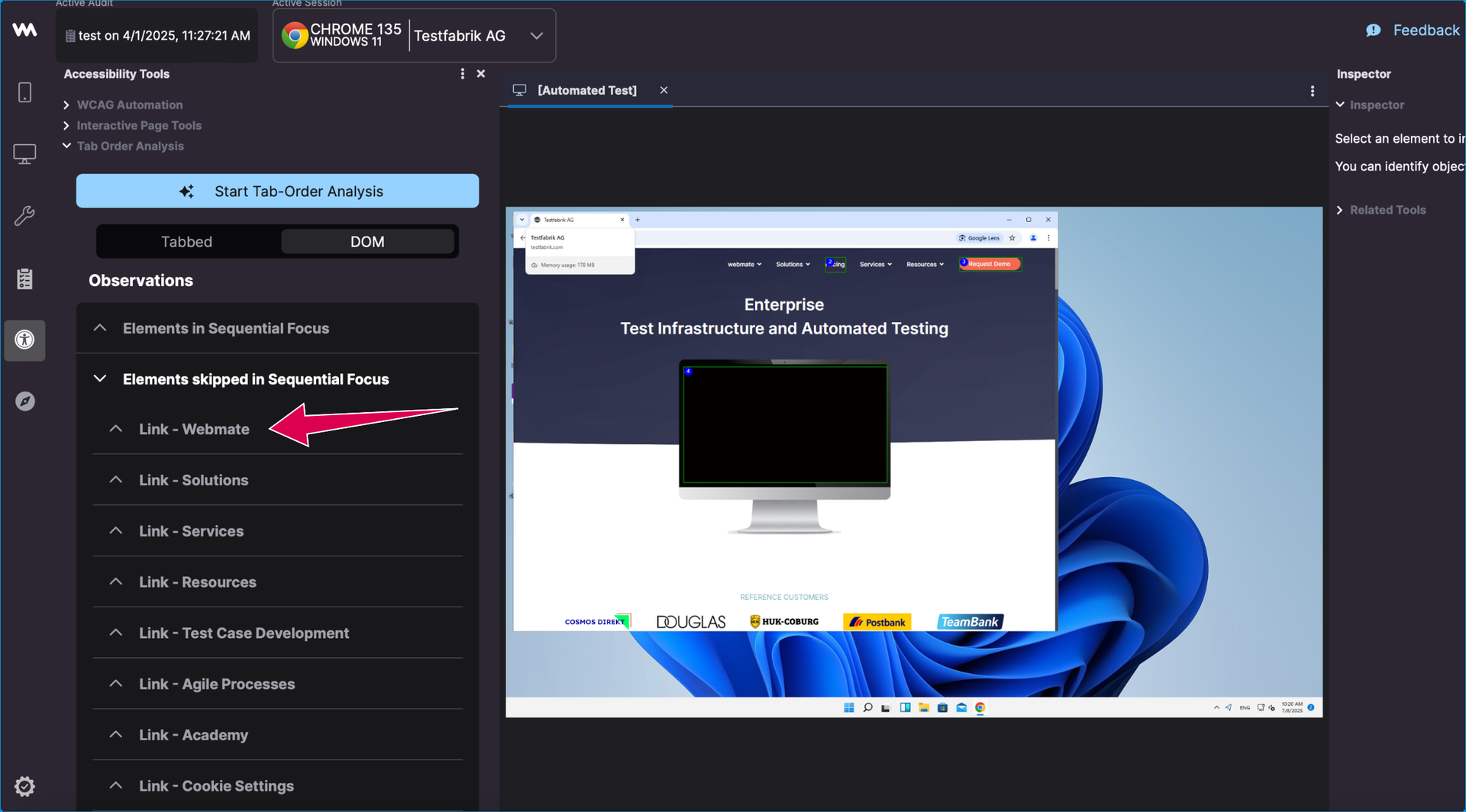
Similarly, the corresponding element displays the necessary details along with a “reason” attribute which mentions the probable cause due to which that element is not reachable via Tab.