Comparing the Layout Between Selenium Sessions
With webmate, it is possible to compare selenium-based browser sessions.
One of the most interesting use cases for this functionality is to compare two versions of a web page or web application, e.g. a stable release deployed at the beginning of a sprint and a nightly version. We will first show you how to run such a test and then how to view the results.
Regression Test
First, you need to run one reference selenium session and one or more selenium sessions to compare.
This is indicated by calling the executeTest functions here, which you need to implement to visit the URLs you want to visit and the interaction you want to compare.
Now you can run the regression test which compares the selenium session against the reference session.
Before the results are available, you have to call waitForCompletion.
| |
| |
The regression test compares the browser state at each state that you created in the selenium session in the executeTest functions.
| |
| |
All code:
| |
| |
View results
You can find the test results in the test lab by clicking on your test run.
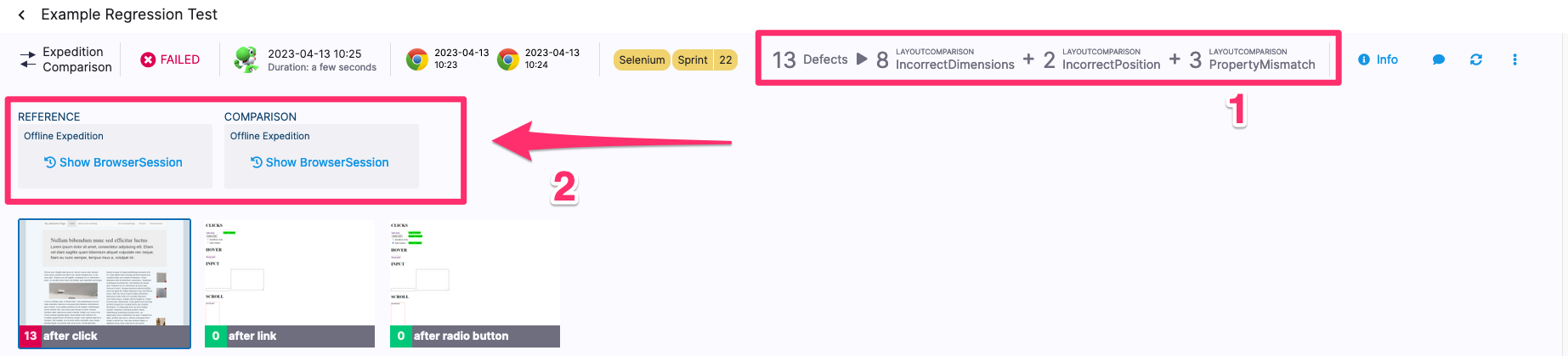
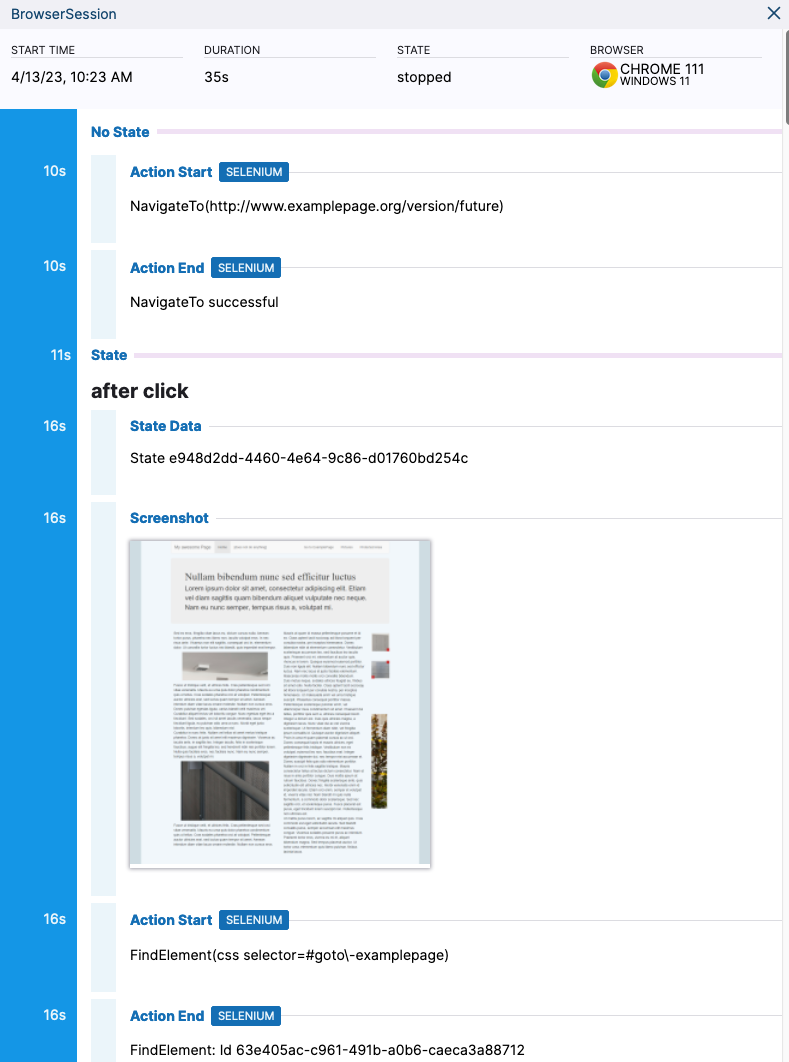
At the top you can see if and how many differences were found by the test across the browsers, followed by the reference and comparison session (1). You can click on Show BrowserSession for both to see a timeline of the session (2).
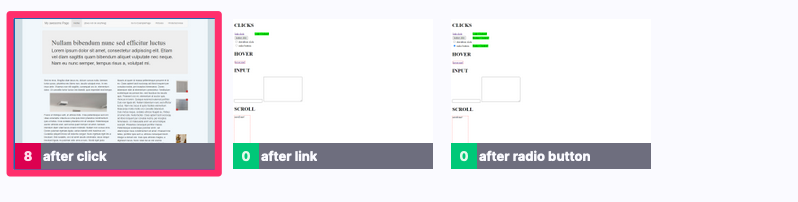
Below that you can choose at which state to view the results for, if you created multiple states in the test.
At the bottom you see a side-by-side comparison of the two sessions.
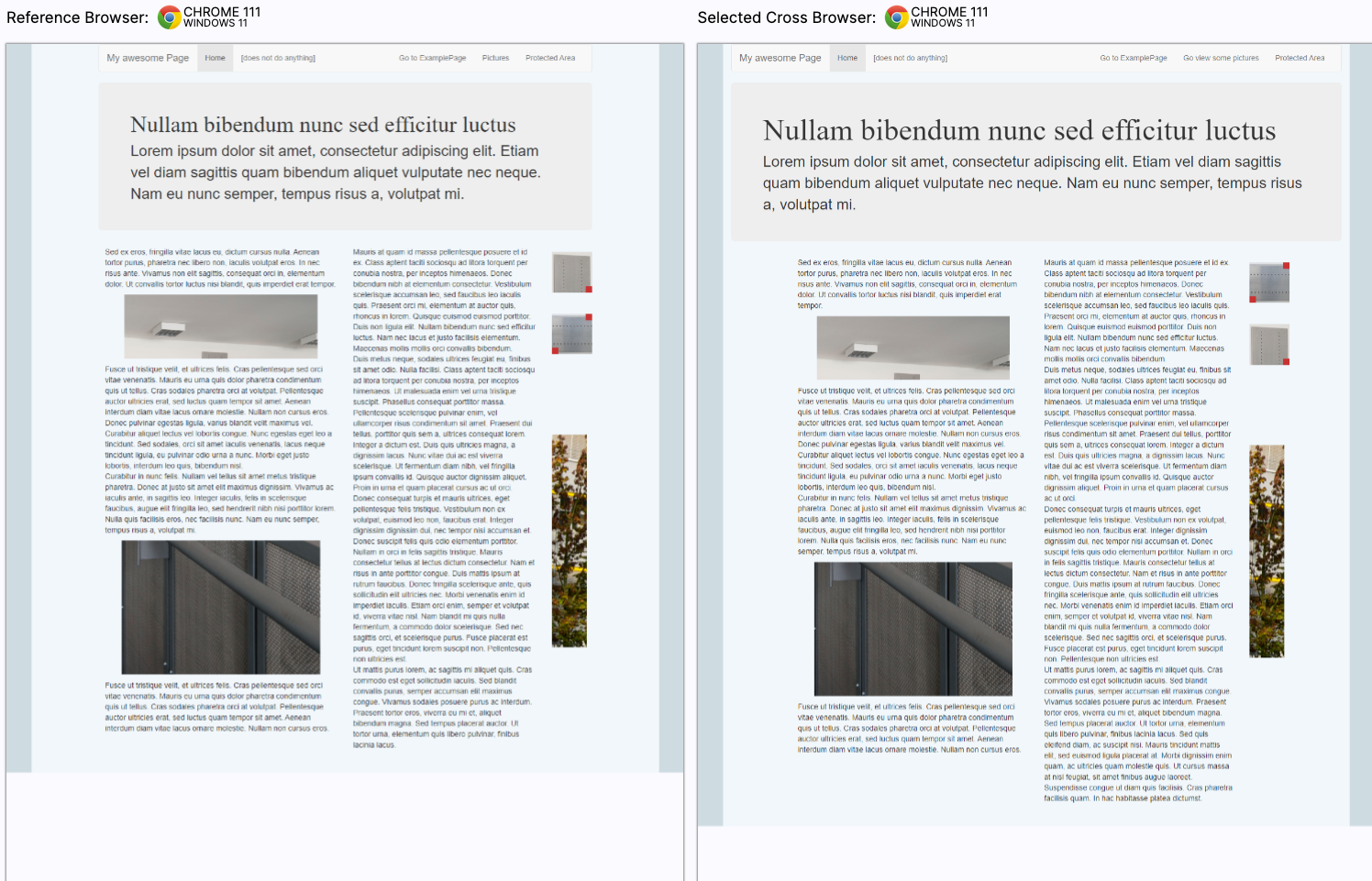
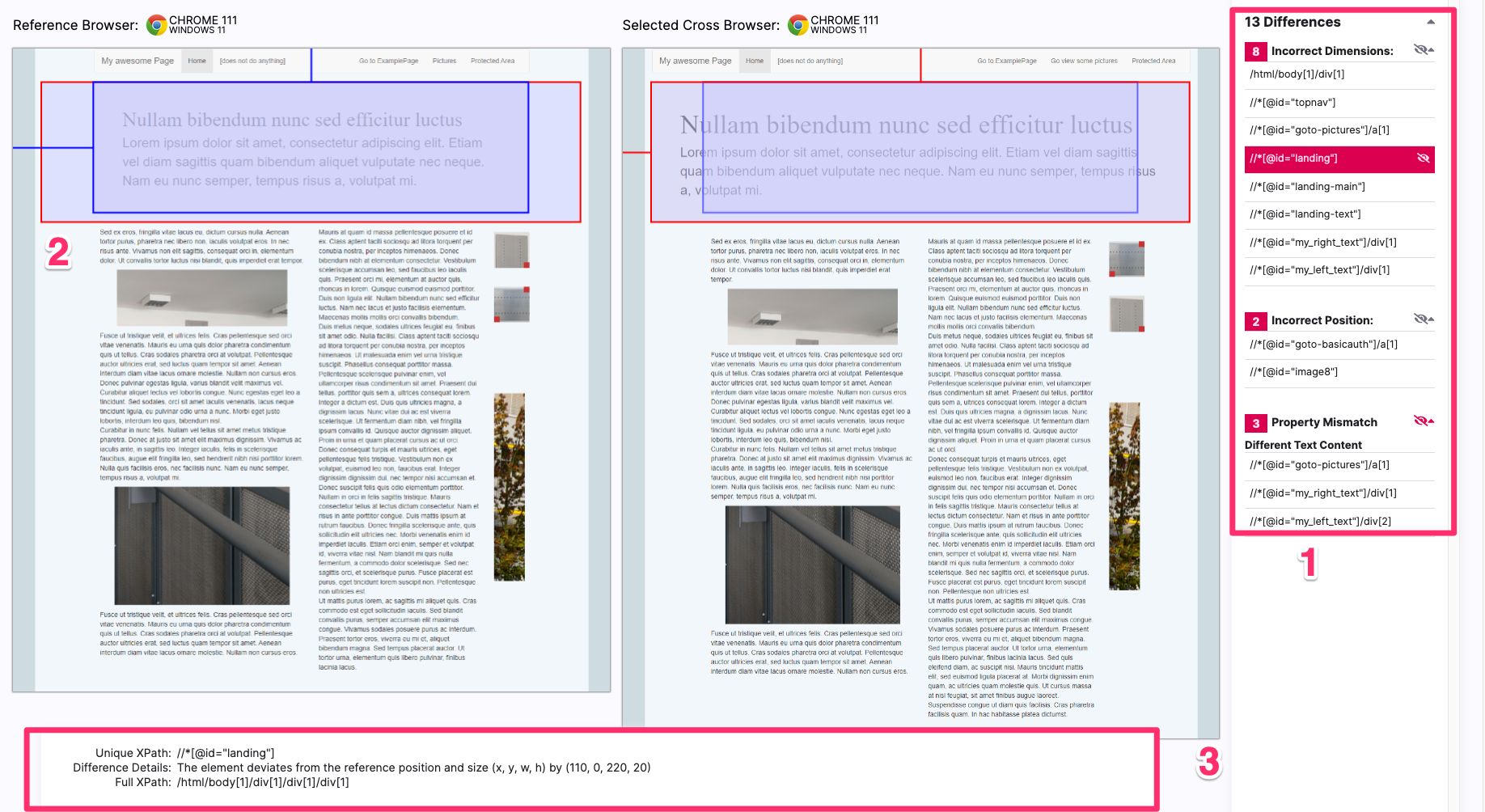
To the right side of the browser views you can see a list of differences between the two views (1). If you move your mouse over the differences in the list, they will be highlighted in the browser views (2). You can also click on differences in the list to have them highlighted permanently until you click another one and see more details about the difference at the bottom (3).