
Grant Users Access to Projects
To grant a user access to a project, you have to visit the accounts page by clicking on Administration (1) at the top bar before clicking on Users & Roles (2) on the menu on the left.
Navigate to the Accounts tab. (3)
Here you can click the plus icon next to Projects in the upper right corner (4) for the user you want to add.
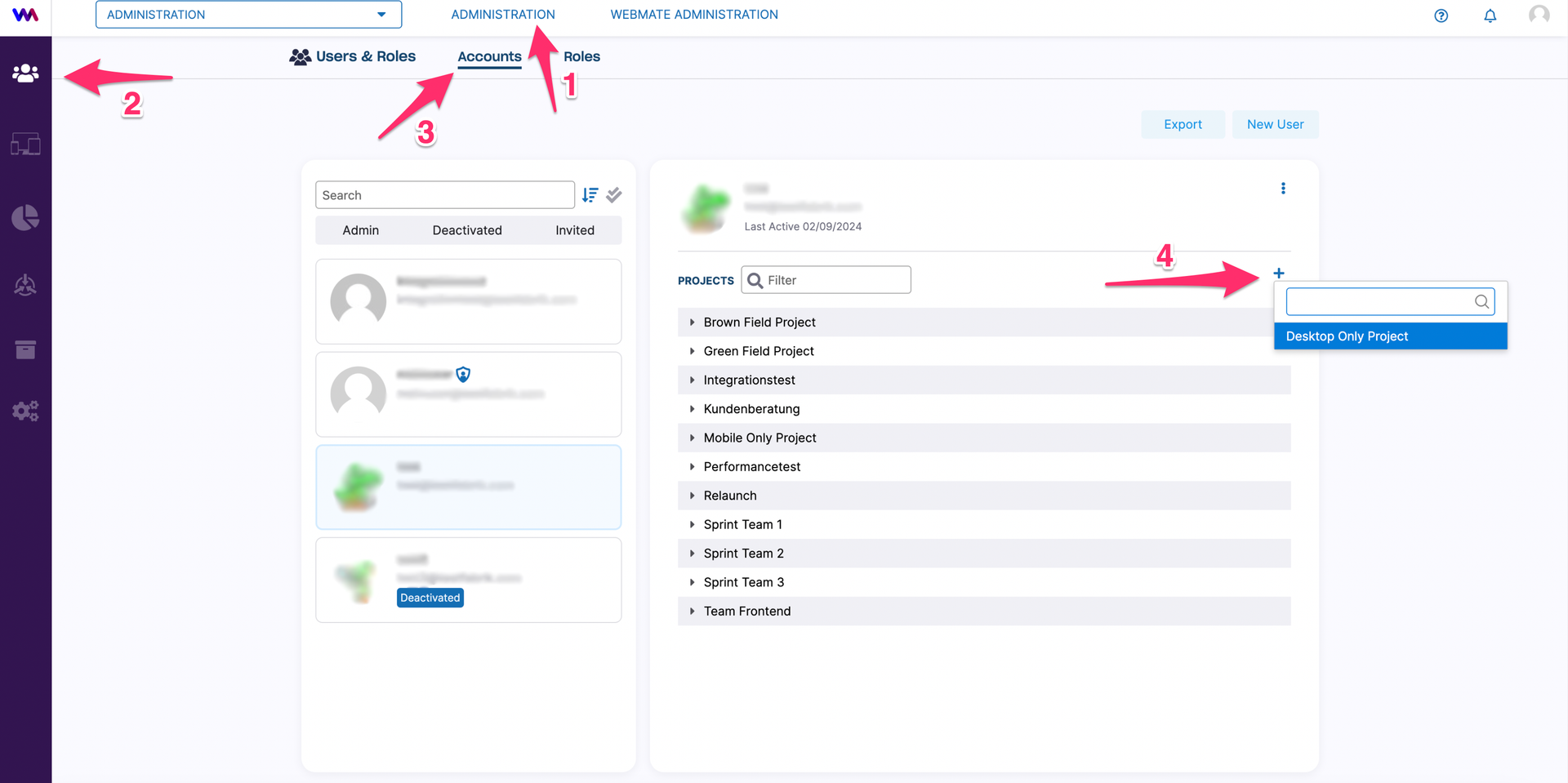
Now select the project to which you want to add the user from the dropdown menu.