
Add Users
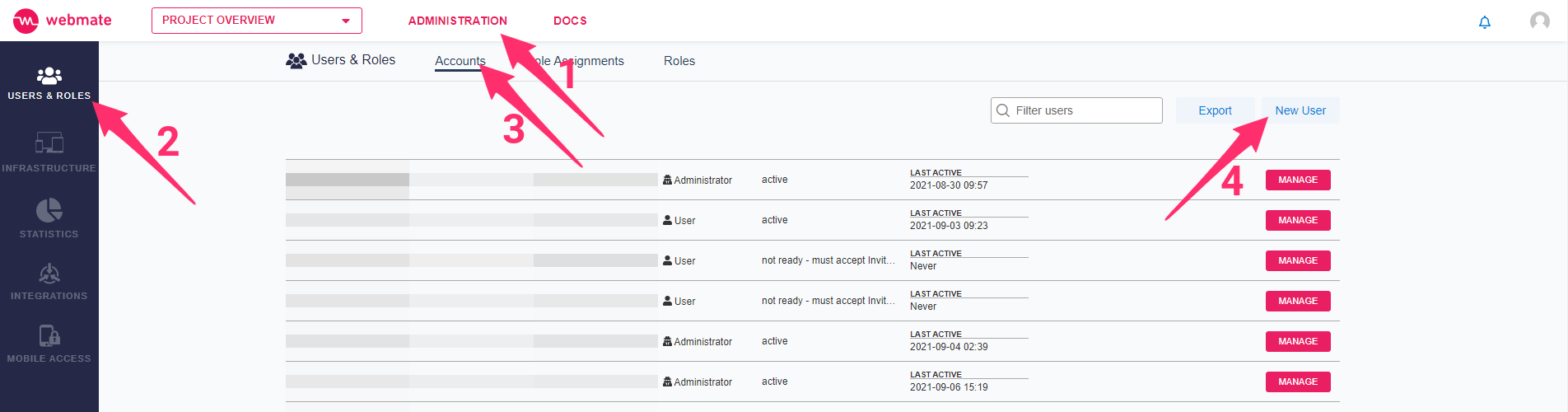
To add a new user, you have to visit the users page via this link (opens in a new tab) or click on Administration (1) in the top bar before clicking on Users & Roles (2) on the menu on the left. Make sure you are already in the Accounts tab (3). Click on New User in the upper right corner (4).
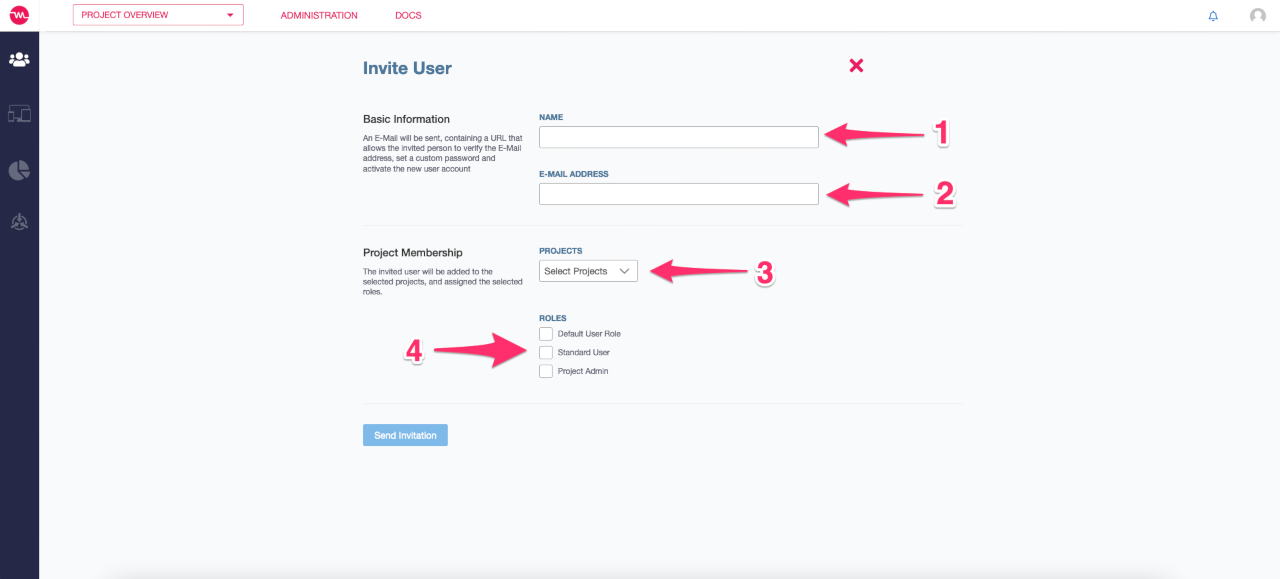
Enter the name of the user (1) and the email address (2) to send an invitation. You can also assign projects (3) and roles (4) optionally. An email will be sent, containing a URL that allows the invited person to verify the email address, set a custom password and activate the new user account.
If you did not assign a project and/or roles in the previous step, remember that you should assign projects and roles to the new user account, otherwise the person will not have access to any of your resources. Please refer to this page if you want to learn how to do that.