
Assign Roles to Users
To assign roles to a user, you have to visit the accounts page by click on Administration (1) at the top bar before clicking on Users & Roles (2) on the menu on the left.
Then navigate to the Accounts tab, select the user you want to assign roles to.
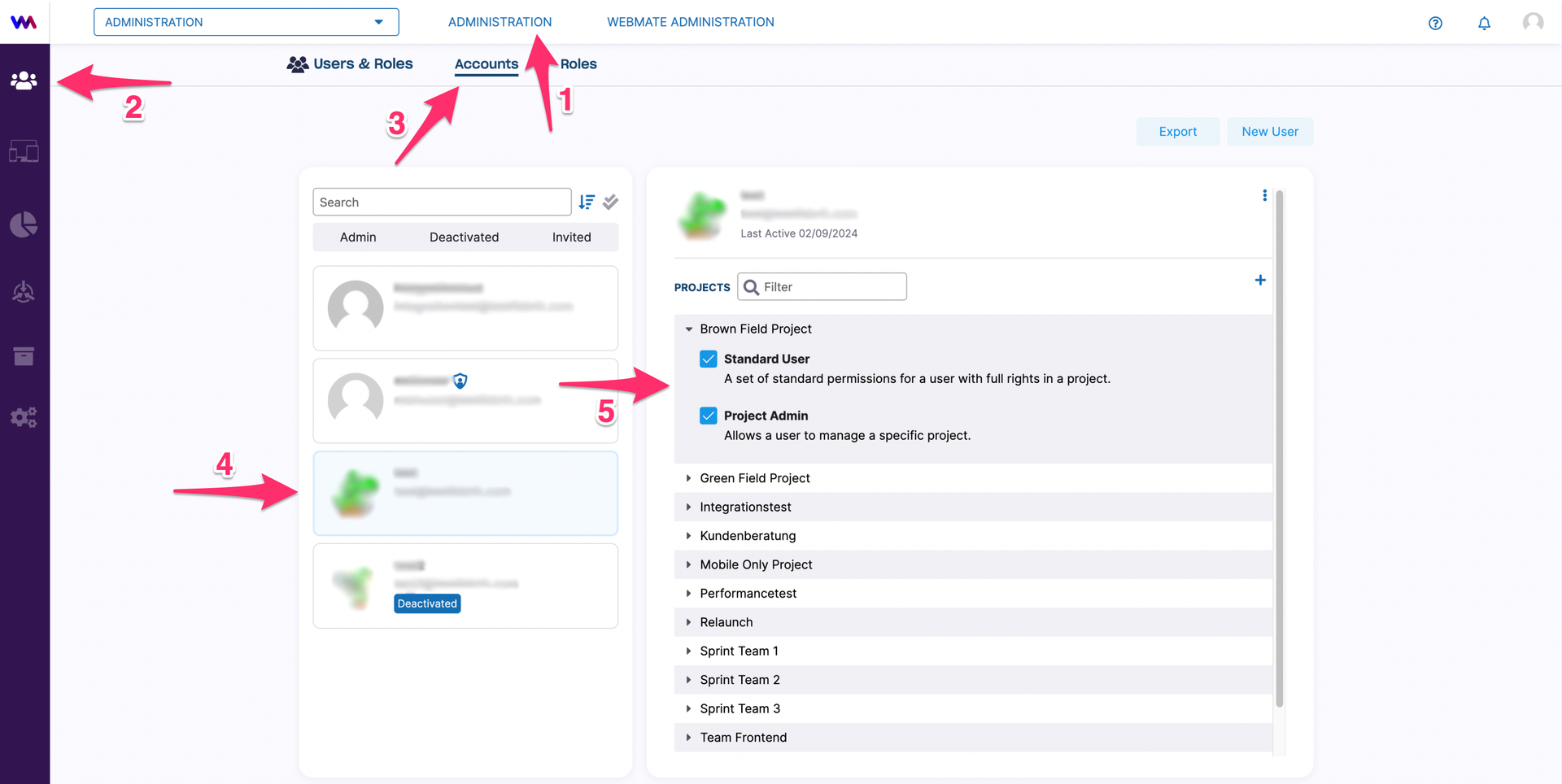
You have the option to assign global admin role, as well as project specific roles to each user.
When clicking on the corresponding user, a submenu opens. It allows you to see which roles are available for assignment and which roles are already assigned in all specific projects available to the user.
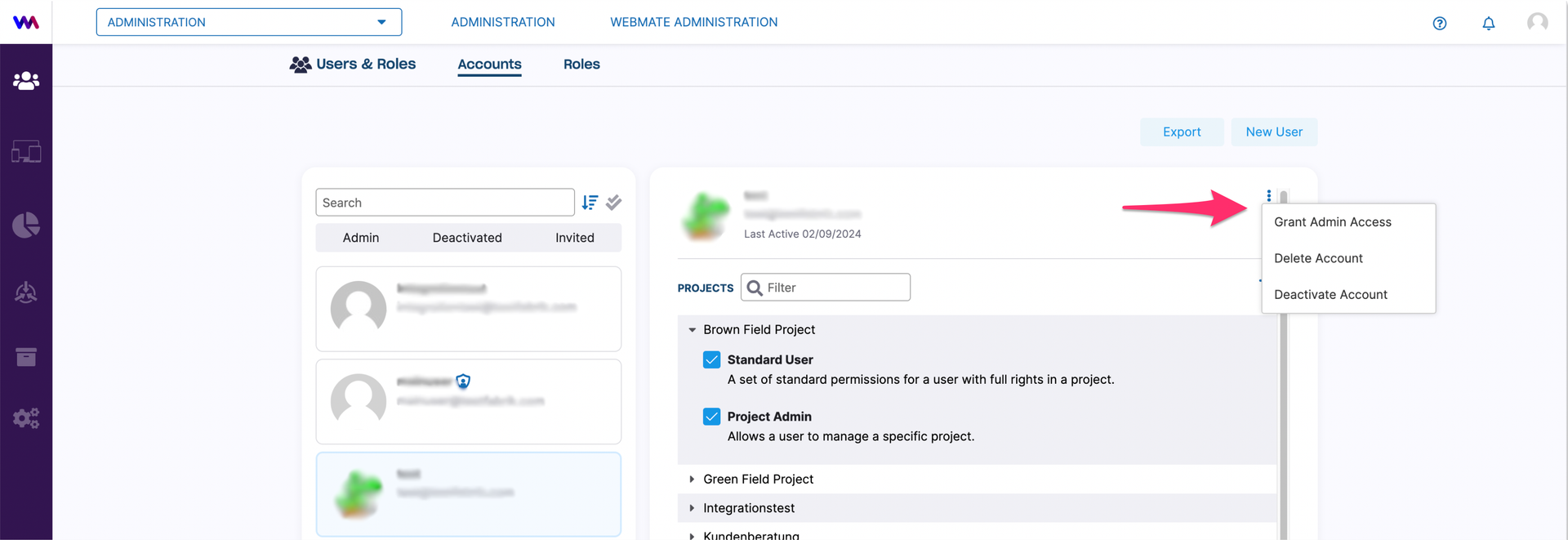
To assign global admin role to a user, you can then click on the user menu (hamburger button).
Assigning roles to a user in a specific project is also available through the project overview, as described here (/webmate-administration/assign-project-administrator/ “here”).