
Assign Device Slots to Projects
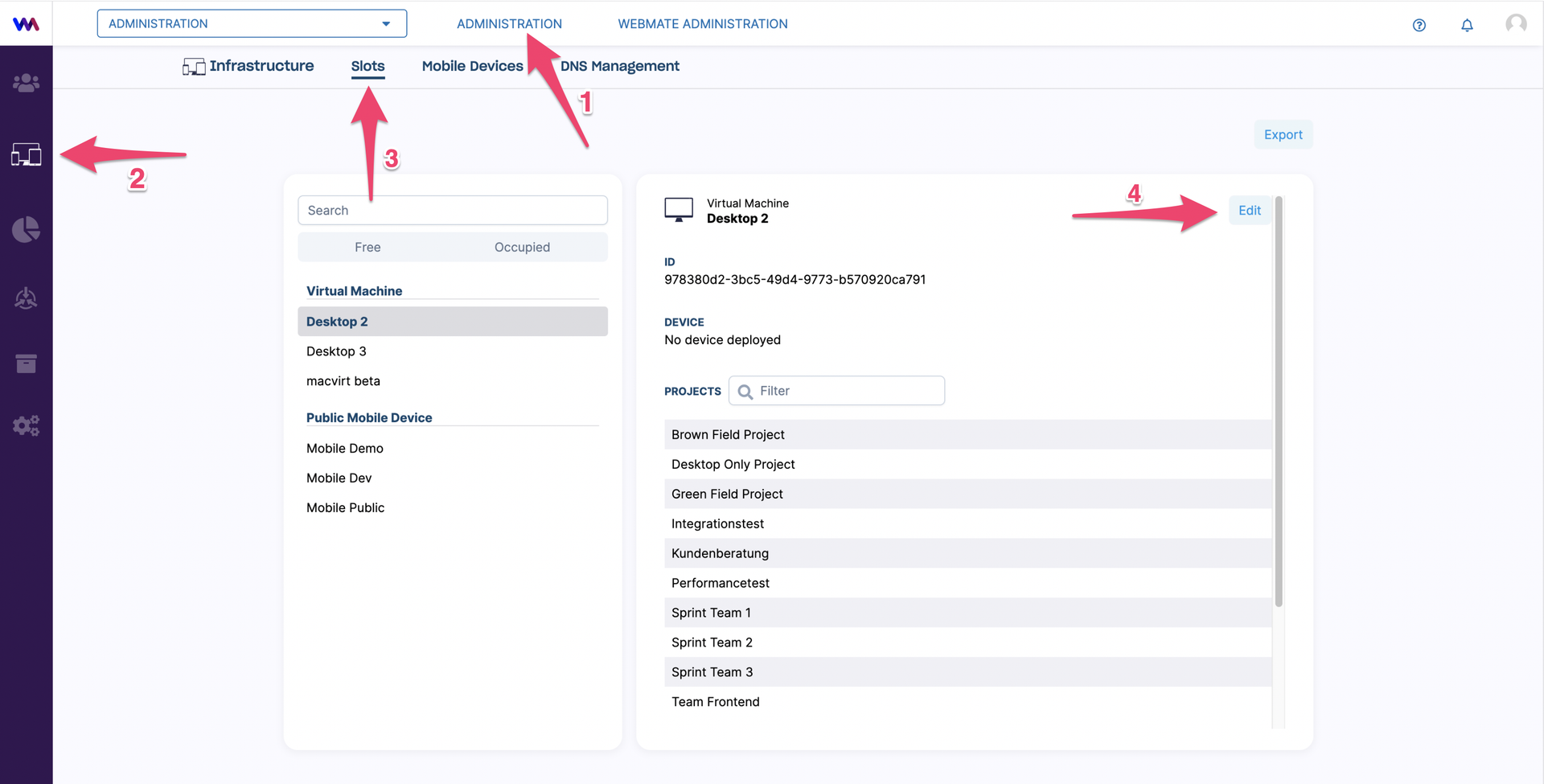
To assign slots to projects, visit the slots page via this link (opens in a new tab) or click on Administration (1) in the top bar, then click on Infrastructure on the left (2). Confirm that you are already in the Slots tab (3).
You can open the settings for each slot by clicking on Edit (4).
From the list of projects this slot is assigned to, you can remove the slot from the project by clicking on the bin icon (1). By clicking on the plus icon (2), you see the list of projects the slot is not assigned to and select the ones you want to add it to.
When you are done with editing the slot assignments, save your changes by clicking Save (3).
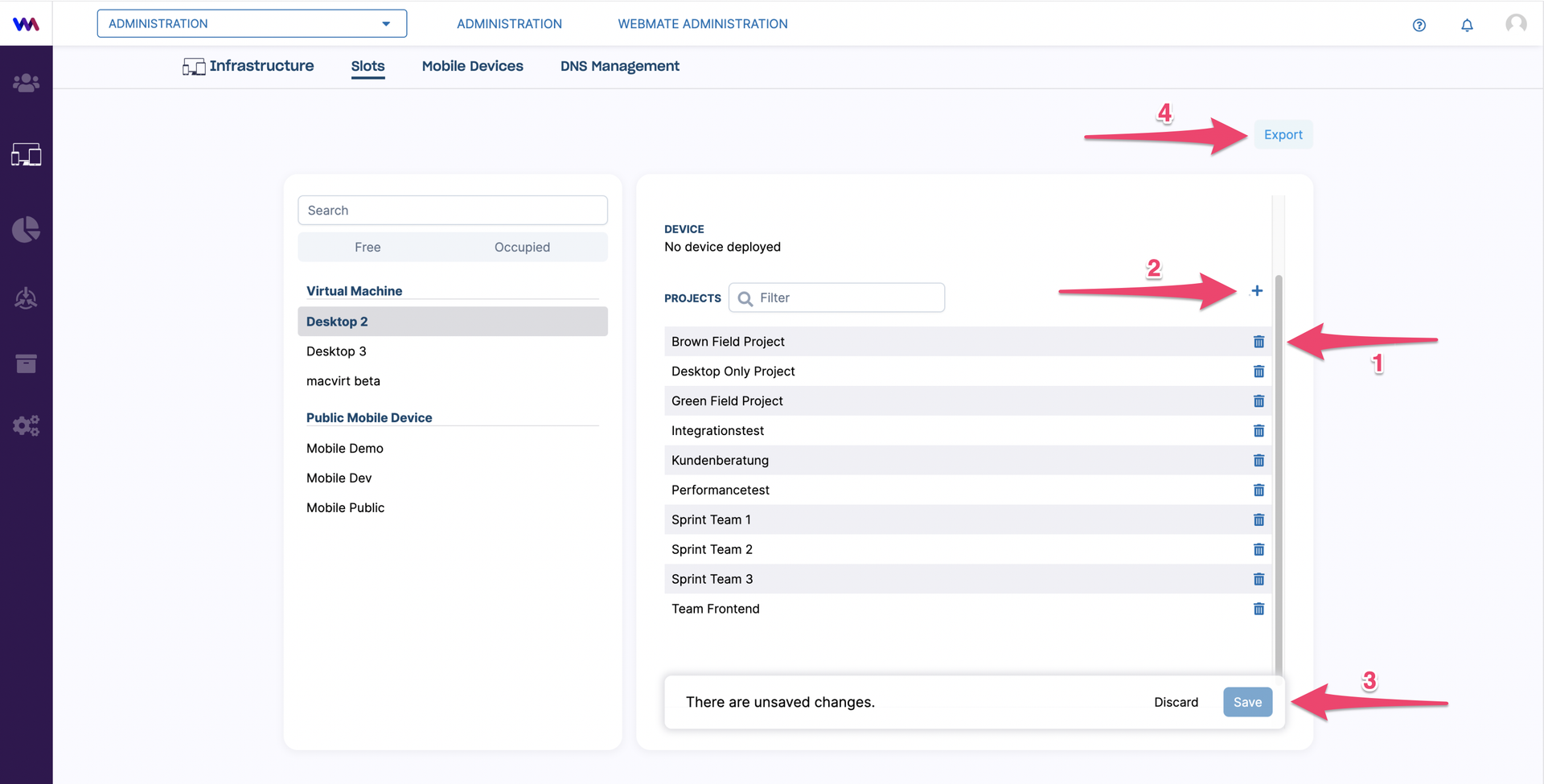
You can export a CSV file containing all the relevant information regarding this slot by clicking on Export (4).