Create a Device Note
To create a note, click on Administration (1), switch to the infrastructure view (2), and select the mobile devices tab (3).

Select the device you want (1). Click on the plus sign to add a note (2).

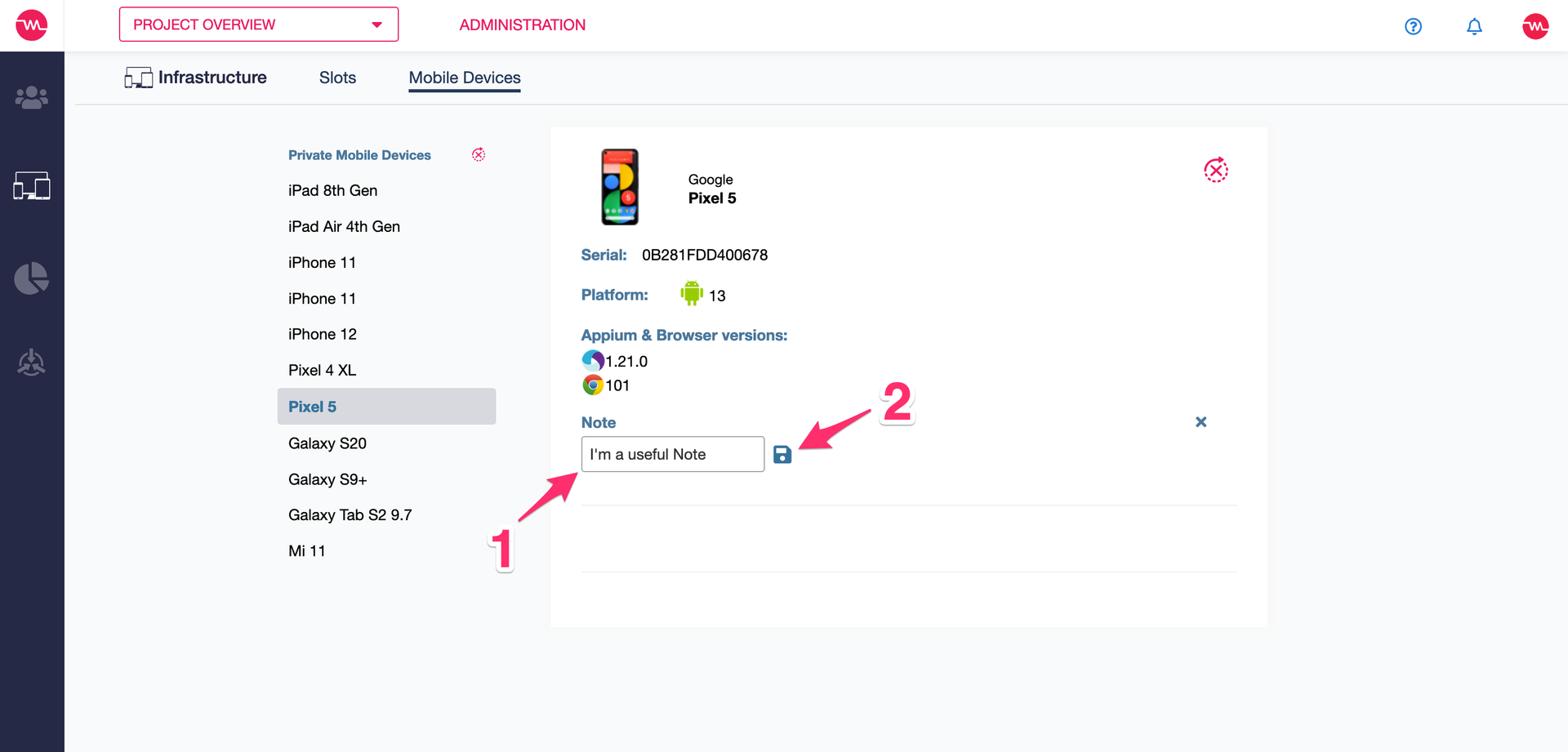
Enter the note in the text field (1). Click on the save sign when you are finished (2).
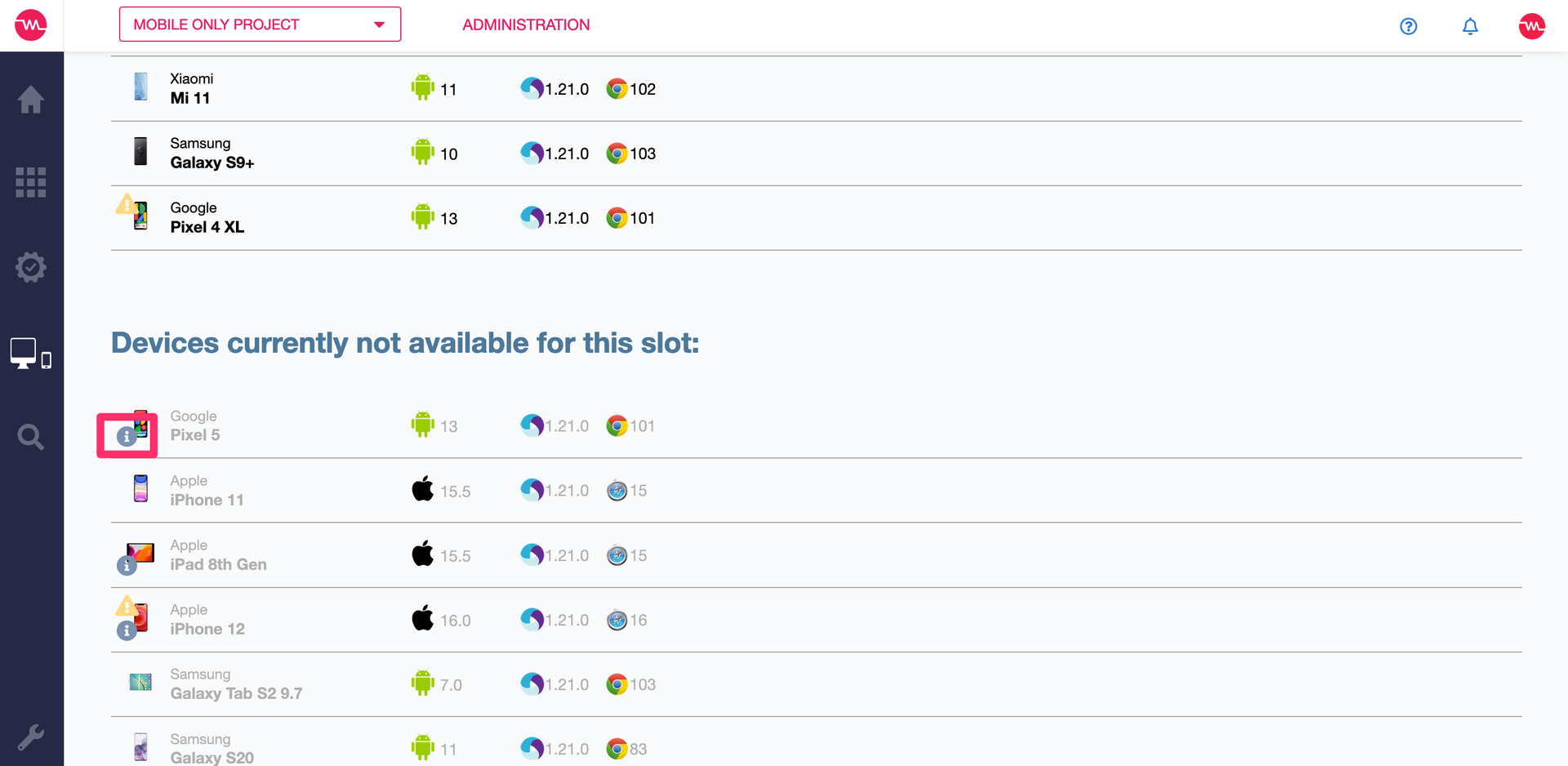
The note is now shown next to the device in the deployment view. You can display the text by hovering over the “i” icon. If it is a slot with just one device in it, the note will also appear next to the slot.